We research products independently from specs, manufacturer documentation, warranty terms and owner feedback. When you buy through links on this page, we may earn a commission at no extra cost to you. As an Amazon Associate we earn from qualifying purchases.
Quick answer
In the Garmin Approach R50 vs FlightScope Mevo+ decision, the Garmin Approach R50 Golf Launch Monitor is the better buy if you are building a home simulator and want one box with a built-in screen and simulator, for about $4,500–$5,000. For most golfers, the FlightScope Mevo+ Launch Monitor is the smarter value: accurate radar data, portable for the range, and simulator options for about $1,800–$2,300.
Comparing the Garmin Approach R50 vs FlightScope Mevo+ comes down to three questions: how much you want to spend, where you will hit balls, and how much setup you are willing to do. Both are serious launch monitors aimed at golfers who want real ball data rather than a rough guess, and both earn a Buy from us. But they are built for different jobs. The Garmin is an all-in-one home simulator; the FlightScope is a portable radar unit that moves between the range and a home setup. Our picks are based on specs, manufacturer documentation, warranty terms, independent review consensus and owner-feedback patterns.
Quick picks
| Product | Best for | Our verdict | Typical price |
|---|---|---|---|
| Garmin Approach R50 Golf Launch Monitor | Home simulator | Buy | about $4,500–$5,000 |
| FlightScope Mevo+ Launch Monitor | Range and simulator | Buy | about $1,800–$2,300 |
Launch monitor prices shift with bundles and seasonal promotions, so check the current price before you buy.
The best golf launch monitors in 2026
Best for home simulators Our verdict: Buy
Garmin Approach R50 Golf Launch Monitor
Typical price: about $4,500–$5,000
Home simulator. Buy it if you want a premium launch monitor with built-in simulator and no extra hardware.
- Pros
- ✓ Built-in screen and simulator
- ✓ Accurate data
- ✓ No subscription for core features
- Cons
- ✕ Very expensive
Check price on Amazon Paid link
The Garmin Approach R50 Golf Launch Monitor is built for golfers who want a home simulator without assembling one from parts. Its headline feature is that it is all-in-one: the launch monitor has a built-in screen and simulator, so you do not need a separate laptop, tablet or extra hardware to start hitting shots and seeing results. That simplicity is the reason to choose it. Fewer devices mean fewer cables, fewer apps and less fiddling before a session.
It also delivers accurate data, according to independent review consensus, and Garmin does not charge a subscription for its core features. That matters, because ongoing software fees are a real cost with many simulator setups.
The trade-off is price. At about $4,500–$5,000, it costs more than twice as much as the Mevo+, and that gap buys you convenience and integration more than anything else. Skip it if you only practise on the range occasionally; you will be paying for a home simulator you rarely use. Buy it if you are dedicating a garage, basement or spare room to golf and want the simplest high-end setup.
Best value Our verdict: Buy
FlightScope Mevo+ Launch Monitor
Typical price: about $1,800–$2,300
Range and simulator. Buy it if you want accurate radar data for range practice and home simulation.
- Pros
- ✓ Accurate ball data
- ✓ Portable
- ✓ Simulator options
- Cons
- ✕ Needs room behind the ball indoors
Check price on Amazon Paid link
The FlightScope Mevo+ Launch Monitor gives you accurate radar ball data at a much lower price, and it is portable. That combination makes it the more flexible choice: take it to the driving range to see what your swing changes actually do, then bring it home to use with a simulator. Simulator options are available, so it can grow into a home setup over time.
For golfers who split time between the range and home, or who want serious data without paying premium simulator prices, it is the easier recommendation.
Its main limitation is space. As a radar unit, the Mevo+ needs room behind the ball when you use it indoors, so the depth of your hitting bay matters. A very short garage or basement room can make it hard to place the unit where it reads shots properly. Check FlightScope’s documentation for room requirements before you buy. Skip it if you have a very short indoor bay; the Garmin is the better fit there. Buy it if you want accurate data that also travels to the range.
How to choose a golf launch monitor
Budget and total cost
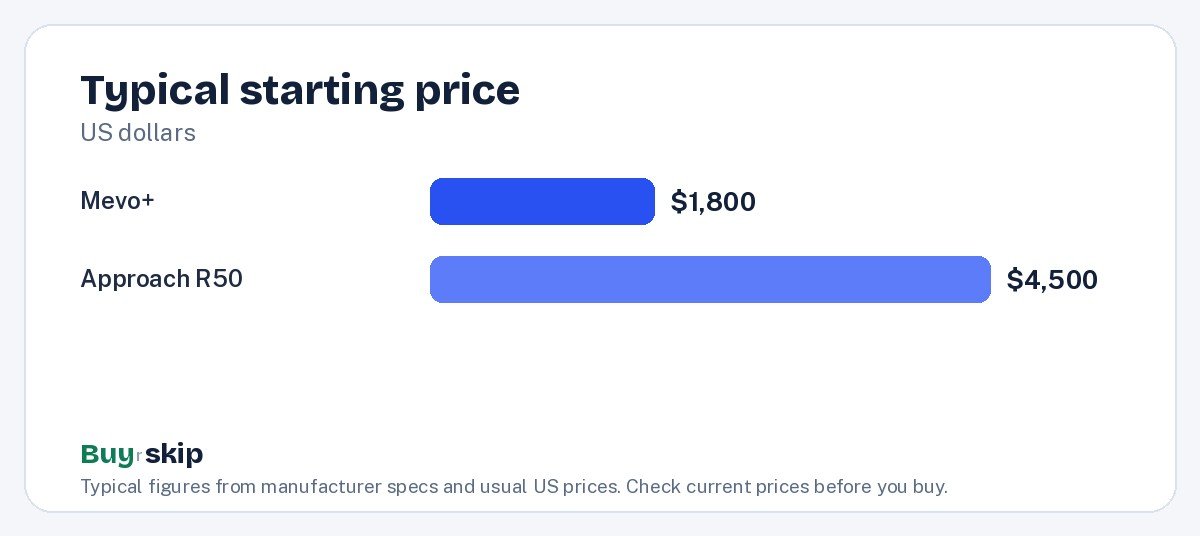
The gap is large. The Garmin costs about $4,500–$5,000 and the FlightScope about $1,800–$2,300, so the Mevo+ leaves room in the budget for a hitting mat, net or screen. The Garmin’s no-subscription core features help its long-term cost, but it still starts far higher. If price matters, the FlightScope Mevo+ Launch Monitor wins.
Where you will hit balls
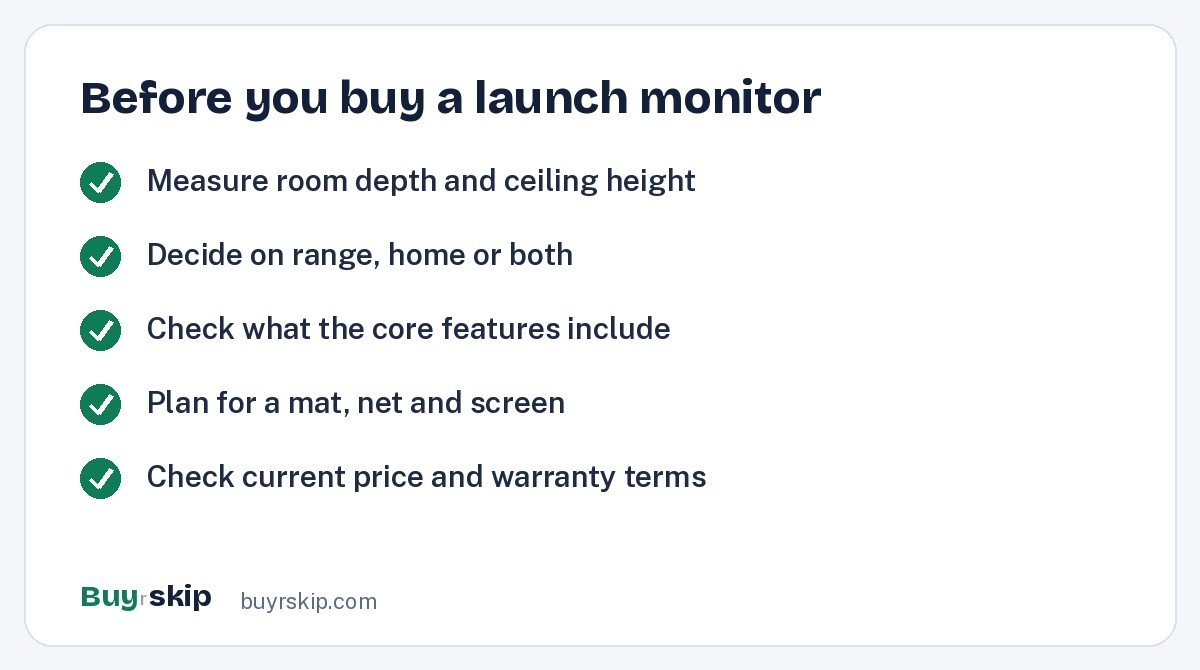
If you want one device for both the range and home, choose the FlightScope Mevo+ Launch Monitor; its portability is its strength. If you will hit almost entirely at home in a dedicated space, the Garmin Approach R50 Golf Launch Monitor makes more sense. Measure your room before you buy either one, and pay special attention to depth if you are leaning toward the Mevo+, since it needs room behind the ball indoors.
Setup and simplicity
The Garmin’s built-in screen and simulator mean less to set up and fewer devices to manage. The Mevo+ offers simulator options, but you will typically be pairing it with other devices and software. If you want to switch it on and hit, the Garmin is simpler. If you like choosing your own setup, the Mevo+ gives you that flexibility.
Data you will actually use
Both monitors give you real ball data, and independent review consensus rates both as accurate. The difference is less about the numbers and more about how you see and use them. The Garmin shows results on its own built-in screen, which keeps a home session simple. The Mevo+ is designed to travel, so its data follows you from the range to the garage. Before buying either, decide what you want to improve. If you want to dial in carry distances for each club, both will do it. If you mainly want to play simulated rounds at home on winter evenings, the Garmin’s integrated simulator is the more direct route.
Warranty and support
At these prices, support matters. Check the manufacturer’s warranty terms before you buy, and buy from an authorized retailer so the warranty is honored. Also check how software updates are delivered and whether any features are tied to future fees. A launch monitor is a multi-year purchase, and the experience depends heavily on the software that comes with it.
The rest of your simulator
A launch monitor is only one piece. Indoors, you will want a durable golf hitting mat and a net or impact screen, plus enough ceiling height to swing a driver freely. A sturdy golf practice net is the minimum for safe indoor practice. Budget for these when comparing totals, because they can add meaningfully to the cost of either setup.
Frequently asked questions
Is the Garmin Approach R50 worth the extra money?
It is worth it if you are building a dedicated home simulator and value an all-in-one design with a built-in screen and simulator and no subscription for core features. If you mostly practise at the range or want accurate data on a smaller budget, the FlightScope Mevo+ gives you most of what you need for less than half the price.
Can I use the FlightScope Mevo+ indoors?
Yes, with enough space. It is a radar unit, and it needs room behind the ball when used indoors so it can read the shot. In a very short hitting bay, that can be a problem. Measure your room and check FlightScope’s documentation for space requirements before you buy, especially if you plan to use it in a garage or basement.
Do these launch monitors need a subscription?
The Garmin Approach R50 has no subscription for its core features, according to Garmin. For the FlightScope Mevo+, check which features and simulator options are included at purchase and which cost extra, since that can affect the long-term cost. Read the current terms on each manufacturer’s site before buying.
Which is better for range practice?
The FlightScope Mevo+ Launch Monitor. It is portable and designed to give accurate ball data at the range as well as at home. The Garmin Approach R50 is built around a home simulator setup, so it makes less sense if most of your practice happens at a driving range.
What else do I need for a home golf simulator?
Beyond the launch monitor, plan for a hitting mat, a net or impact screen, and enough room to swing safely, including ceiling height. Many golfers also add a projector for the simulator image; our best projectors picks are a good place to start. Factor these costs in when comparing the two monitors.
Will a launch monitor improve my golf game?
It can, if you use the data with a plan. A launch monitor shows what each swing change actually does to the ball, so you stop guessing. The gains come from regular, focused practice, such as learning true carry distances for each club. Either monitor here gives you the data; the improvement still depends on how often you use it.
The bottom line
Buy the Garmin Approach R50 Golf Launch Monitor if you are committing a room to golf and want the simplest all-in-one home simulator, with a built-in screen and no subscription for core features. It is the premium choice, and its price reflects that.
For most golfers, the FlightScope Mevo+ Launch Monitor is the better value: accurate radar data, portable enough for the range and ready for a home simulator, for less than half the price. Just make sure your indoor space has enough room behind the ball. If you want a bigger screen for your simulator room, our best 85-inch TV guide is worth a look too.
Check price on Amazon: Garmin Approach R50 Golf Launch Monitor
Paid link. Typical price about $4,500–$5,000; check the current price on Amazon.