We research products independently from specs, manufacturer documentation, warranty terms and owner feedback. When you buy through links on this page, we may earn a commission at no extra cost to you. As an Amazon Associate we earn from qualifying purchases.
Quick answer
Buy the Cricut Maker 3 if you want one machine that handles vinyl, iron-on, fabric, leather, chipboard and thin wood, and you expect your hobby to grow. It cuts 300+ materials and takes Cricut’s adaptive tools. Buy the Cricut Joy Xtra if you mostly make cards, labels, stickers and small vinyl decals and want something compact and easy to learn for about half the price.
Choosing between the Cricut Maker 3 vs Joy Xtra comes down to two questions: what materials you want to cut, and how much space you have on your desk. Both are among the best cutting machines for home crafters, both run on the same Cricut Design Space software, and both can cut Cricut’s Smart Materials without a mat. The difference is reach. One is a full-size workshop tool; the other is a small, friendly machine for paper and light vinyl. Our picks are based on specs, manufacturer documentation, warranty terms, independent review consensus and owner-feedback patterns.
Quick picks
| Product | Best for | Our verdict | Typical price |
|---|---|---|---|
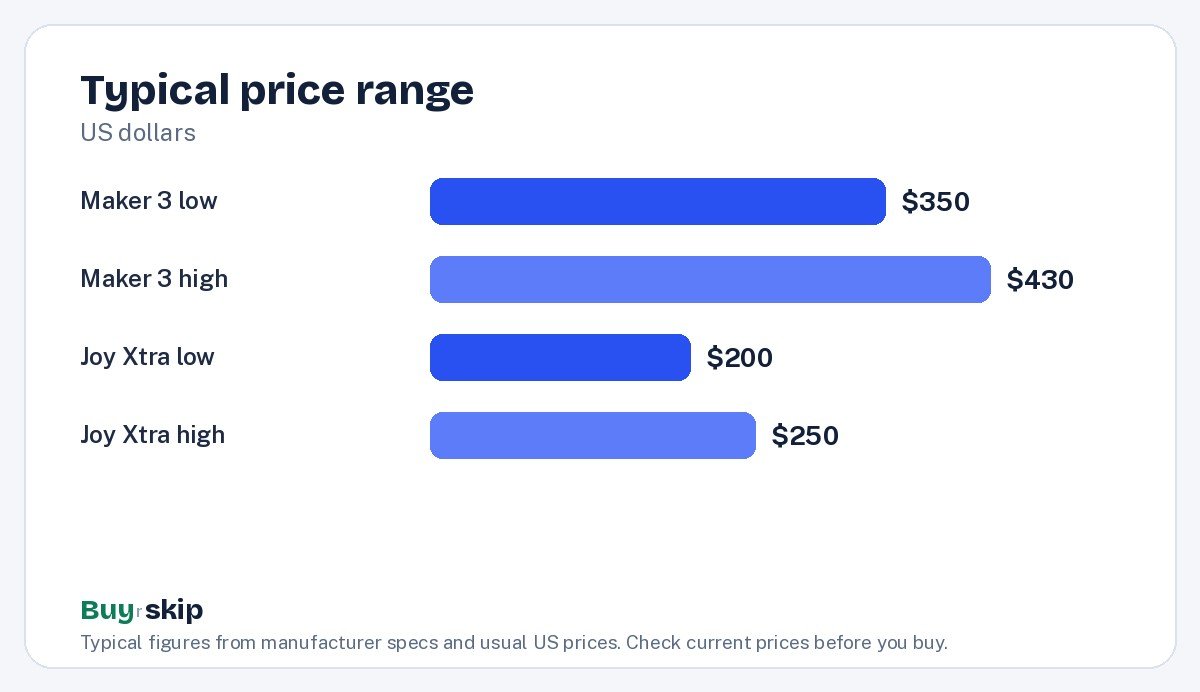
| Cricut Maker 3 | Serious crafters | Buy (8.8/10) | about $350–$430 |
| Cricut Joy Xtra | Beginners | Buy (8.4/10) | about $200–$250 |
Prices move often, especially around holidays, so check the current price before you buy.
The best cutting machines in 2026
Best overall Our verdict: Buy
Cricut Maker 3
Typical price: about $350–$430
Serious crafters. Buy it if you want one machine for vinyl, fabric, wood and more.
- Pros
- ✓ Cuts the widest range of materials
- ✓ Fast with smart materials
- ✓ Adaptive tool system
- Cons
- ✕ Expensive
- ✕ Tools sold separately
Check price on Amazon Paid link
The Cricut Maker 3 is the machine to get if you want one cutter that can grow with you. Cricut lists it as cutting more than 300 materials, which covers the usual vinyl, iron-on and cardstock but also fabric, felt, leather, chipboard and basswood when you add the right blade. That range comes from the Adaptive Tool System: the machine adjusts blade pressure and direction, so it can run a rotary blade for fabric or a knife blade for thicker sheets.
It is also fast with Smart Materials, Cricut’s matless vinyl and iron-on rolls, which lets you cut long banners and wall decals in one pass. Owners who sell shirts, tumblers or signs tend to value that speed most.
The trade-offs are cost and add-ons. The machine itself costs about $350–$430, and several of the tools that unlock its widest range are sold separately. If you only make a few birthday cards a year, you are paying for capability you will not use, and the Joy Xtra is the smarter buy.
Best for beginners Our verdict: Buy
Cricut Joy Xtra
Typical price: about $200–$250
Beginners. Buy it if you want an easy, compact machine for cards, labels and stickers.
- Pros
- ✓ Compact
- ✓ Easy to learn
- ✓ Print-then-cut
- Cons
- ✕ Limited materials
Check price on Amazon Paid link
The Cricut Joy Xtra is the easy, compact choice. It is small enough to keep on a shelf and pull out when you need it, and it is simpler to learn than a full-size machine, which matters if you are new to cutting machines or buying one as a gift. It handles the projects most beginners start with: greeting cards, pantry labels, planner stickers, small vinyl decals and iron-on designs for kids’ shirts.
Its standout feature for many buyers is print-then-cut. You print a full-color design on your home inkjet printer, and the Joy Xtra reads the registration marks and cuts around it. That makes custom stickers and labels straightforward.
The limit is materials. It does not take the thick-material blades the Maker 3 does, so wood, leather and heavy chipboard are off the table, and its narrower cutting width caps the size of a single design. If you already know you want to cut fabric or thicker materials, skip it and buy the Maker 3 instead. At about $200–$250, check the current price, since it is often bundled with starter materials.
How to choose cutting machines
Materials decide almost everything
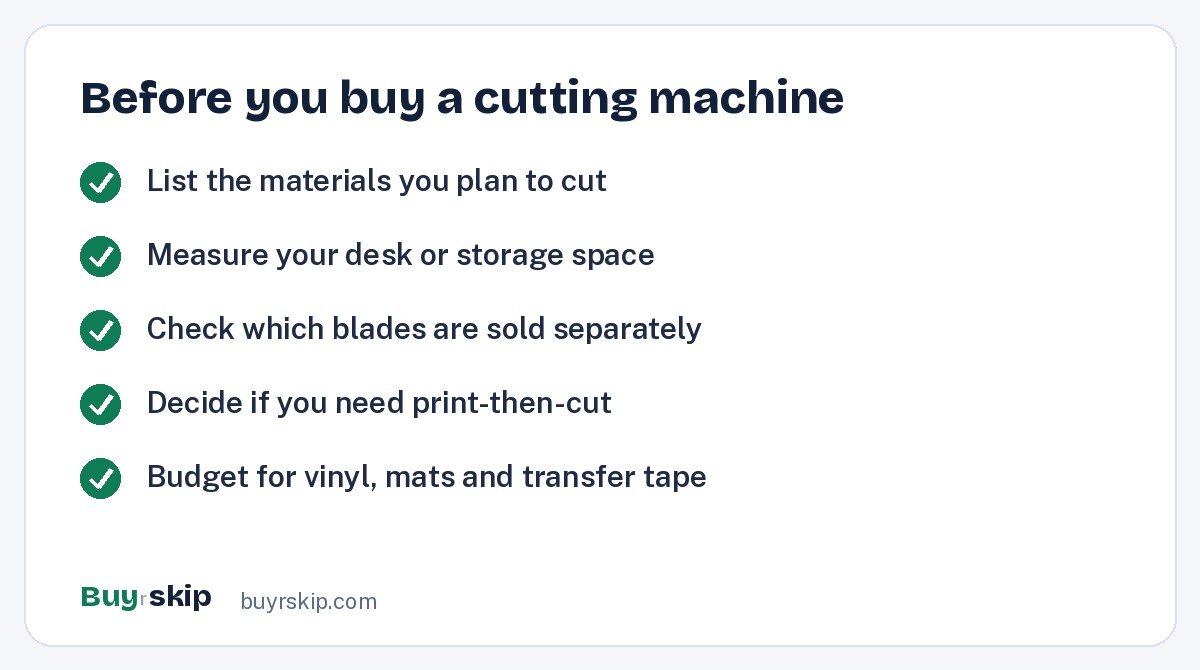
Start with a list of what you actually want to make. If it is mostly paper, cardstock, vinyl and iron-on, either machine will do the job. If fabric, felt, leather or thin wood appear on that list, the choice is made for you: buy the Cricut Maker 3, because the rotary and knife blades it accepts are what make those materials possible.
Size of projects and size of your space
A full-size machine needs a permanent spot. The Maker 3 is wider and heavier and works best on a desk with clearance in front and behind for the mat or roll to feed through. The Cricut Joy Xtra is designed for small spaces. If you craft at the kitchen table and put everything away after, the Joy Xtra is far easier to live with. If you want to cut large wall decals or shirt designs in one piece, the Maker 3’s wider cut is worth the room it takes.
Matless cutting with Smart Materials
Both machines can cut Cricut Smart Materials without a mat, which saves time and lets you cut long runs. The catch is that matless cutting only works with those specific Cricut-branded rolls. Regular vinyl and cardstock still go on a cutting mat. Keep a few spare mats on hand, because they lose stickiness over time; a cutting mat variety pack is a cheap way to cover different materials.
Print-then-cut for stickers and labels
If stickers, labels and full-color decals are your main goal, print-then-cut matters more than material range. The Joy Xtra supports it and is the simpler path for sticker makers. The Maker 3 also supports print-then-cut, so you do not give it up by buying the bigger machine; you just pay more for it.
Software and subscriptions
Both machines use Cricut Design Space on a computer, phone or tablet. You can upload your own designs and use a library of free images and fonts. Cricut Access is an optional paid subscription that unlocks a much larger library. Plan your budget without it, and only add it if you find yourself buying lots of individual designs. If you design on a tablet, our guide to the best tablets covers good options.
Total cost of ownership
The machine price is only the start. Budget for vinyl, iron-on, transfer tape, replacement blades and mats. With the Maker 3, add the cost of any extra tools you want, such as the rotary blade or knife blade, if they are not in your bundle. A vinyl weeding tool kit is the one accessory almost every new owner ends up buying.
Simple rule: if you will cut anything thicker than cardstock or want fabric projects, buy the Maker 3. If you mostly make cards, labels and stickers, buy the Joy Xtra and keep the difference for materials.
Frequently asked questions
Is the Cricut Maker 3 worth it for a beginner?
It can be, if you already know you want to cut fabric, leather or thin wood. The Maker 3 is not hard to learn, since it uses the same Design Space software as the Joy Xtra. The issue is cost. If your plans are cards, stickers and simple vinyl, you would pay for range you may never use, and the Joy Xtra is the better starting point.
Can the Cricut Joy Xtra cut vinyl and iron-on?
Yes. Vinyl and iron-on are two of the materials it handles best, along with cardstock and sticker paper. It can cut Cricut Smart Vinyl and Smart Iron-On without a mat, and regular materials on a mat. What it cannot do is cut thick materials such as wood, leather or heavy chipboard, which need the Maker 3’s specialty blades.
Do I need a Cricut Access subscription?
No. Both machines work without it. You can upload your own SVG and image files and use the free designs and fonts in Design Space. Cricut Access is optional and makes sense mainly for people who use a lot of ready-made designs. Try the machine for a few weeks before deciding whether the subscription is worth it to you.
Which machine is better for a small business?
For selling shirts, tumblers, signs or decals, the Maker 3 is the stronger tool. It is faster with Smart Materials, handles a wider range of blanks and cuts larger designs in one piece. The Joy Xtra can support a small sticker or label shop thanks to print-then-cut, but its narrower width and smaller material list will limit what you can offer.
What else do I need to buy with a cutting machine?
Plan on materials such as vinyl, iron-on and cardstock, plus transfer tape, a weeding tool and spare mats. A heat press or household iron is needed for iron-on projects. With the Maker 3, some specialty blades are sold separately. Starter bundles can be good value if they include materials you will actually use, so compare them against the machine alone.
The bottom line
The Cricut Maker 3 is the better machine for most serious crafters. It cuts the widest range of materials, works fast with Smart Materials and gives you room to grow into fabric, leather and wood projects. It costs more, and its best tools add to that.
If you mostly want cards, labels and stickers in a small space, the Cricut Joy Xtra is the easier and cheaper way in. For more gift and hobby ideas, browse our LEGO sets and kids tablets picks.
Check price on Amazon: Cricut Maker 3
Paid link. Typical price about $350–$430; check the current price on Amazon.