We research products independently from specs, manufacturer documentation, warranty terms and owner feedback. When you buy through links on this page, we may earn a commission at no extra cost to you. As an Amazon Associate we earn from qualifying purchases.
Quick answer
The best pick across smart locks and smart lighting is the Philips Hue White and Color Ambiance Starter Kit: it is very reliable, works with every major assistant and scales from a few bulbs to a whole home. For locks, the Yale Assure Lock 2 is the best keyless choice, with a sleek keypad, auto-lock and app control. Renters should get the August Wi-Fi Smart Lock, which fits over your existing deadbolt so your keys still work.
Smart lights and smart locks are two of the most useful smart-home upgrades because you use them every day. Lights that turn on as you walk in and a door that locks itself behind you are small conveniences that add up. This guide covers the best smart locks and smart lighting for most homes: one lighting system and two locks that suit different situations, especially owners versus renters. Picks are based on specs, manufacturer documentation, warranty terms, independent review consensus and owner-feedback patterns.
Quick picks
| Product | Best for | Our verdict | Typical price |
|---|---|---|---|
| Philips Hue White and Color Ambiance Starter Kit | Whole-home lighting | Buy | about $180–$230 |
| Yale Assure Lock 2 | Keyless entry | Buy | about $230–$300 |
| August Wi-Fi Smart Lock | Renters | Buy | about $200–$250 |
The best smart locks and smart lighting in 2026
Best overall Our verdict: Buy
Philips Hue White and Color Ambiance Starter Kit
Typical price: about $180–$230
Whole-home lighting. Buy it if you want reliable smart lighting that scales to the whole home.
- Pros
- ✓ Very reliable
- ✓ Huge range of fixtures
- ✓ Works with every assistant
- Cons
- ✕ Expensive per bulb
Check price on Amazon Paid link
The Philips Hue White and Color Ambiance Starter Kit is the most dependable way to start with smart lighting and then grow. Philips Hue is known for reliability: lights respond quickly, routines run on time, and the system rarely needs attention once it is set up. The starter kit includes color bulbs and the Hue Bridge, which connects the bulbs to your network and keeps them working smoothly as you add more.
Its biggest strength is the ecosystem. Hue offers a huge range of fixtures, from standard bulbs and light strips to outdoor lights, lamps and switches, so you can expand room by room without mixing brands. It works with every major assistant, including Alexa, Google Assistant and Apple Home, which makes it a safe choice even if your household uses more than one. Color bulbs let you set warm white for evenings, cool white for working, and colors for movie nights or parties. Schedules can fade lights up in the morning, turn porch lights on at dusk, or make the house look occupied while you are away.
The main downside is cost. Hue is expensive per bulb compared with budget brands, and a whole-home setup adds up. Expect about $180–$230 for the starter kit, and check the current price. Skip it if you only need one or two cheap bulbs for a single lamp; a basic Wi-Fi bulb will do. Buy it if you want lighting that you can trust and expand for years.
Best smart lock Our verdict: Buy
Yale Assure Lock 2
Typical price: about $230–$300
Keyless entry. Buy it if you want keyless entry with a keypad backup.
- Pros
- ✓ Sleek keypad
- ✓ Works with major assistants
- ✓ Auto-lock
- Cons
- ✕ Pricey with Wi-Fi module
Check price on Amazon Paid link
The Yale Assure Lock 2 is the best choice if you want true keyless entry. It replaces your deadbolt with a sleek keypad lock, so you can open the door with a code, your phone or a voice assistant command, depending on how you set it up. It works with major assistants, and auto-lock secures the door after you leave, which removes the “did I lock it?” worry.
The keypad is the real advantage. Kids, dog walkers, house cleaners and guests can each have their own code, and you never need to hide a spare key. App control lets you check whether the door is locked and lock it remotely when it is connected, and the design looks clean on most front doors.
The trade-off is price. With the Wi-Fi module needed for remote access, it gets pricey, and the typical range is about $230–$300. Installation also replaces your existing deadbolt, so it suits owners more than renters. Skip it if you rent and cannot replace your lock; the August Wi-Fi Smart Lock is the better fit. Check your door thickness and deadbolt type against Yale’s documentation before buying.
Best for renters Our verdict: Buy
August Wi-Fi Smart Lock
Typical price: about $200–$250
Renters. Buy it if you want a smart lock that keeps your existing keys working.
- Pros
- ✓ Keeps your existing key
- ✓ Auto-unlock
- ✓ Compact
- Cons
- ✕ Keypad costs extra
Check price on Amazon Paid link
The August Wi-Fi Smart Lock takes a different approach. Instead of replacing your deadbolt, it fits over the interior side of your existing one. From the outside, your door looks the same, and your current keys still work. That makes it ideal for renters, and also for owners who like their existing hardware or want a simpler install.
Once installed, it adds app control, auto-unlock as you approach home and auto-lock after you leave. Its compact size means it does not dominate the inside of your door. Built-in Wi-Fi lets you check and control it remotely without a separate bridge.
The main trade-off is that there is no keypad on the outside by default. If you want code entry, the August keypad is sold separately, which adds cost. Expect about $200–$250 for the lock, and check the current price. Skip it if a built-in outdoor keypad matters most; the Yale Assure Lock 2 includes one. Buy it if you want smart-lock convenience without changing your keys or upsetting a landlord.
How to choose smart locks and smart lighting
Smart locks and lights solve different problems, but the buying questions overlap: compatibility, installation, reliability and cost. Here is how to decide.
Own or rent
This is the first question for any lock. Owners can replace a deadbolt freely. Renters usually cannot, or must restore the original when they leave.
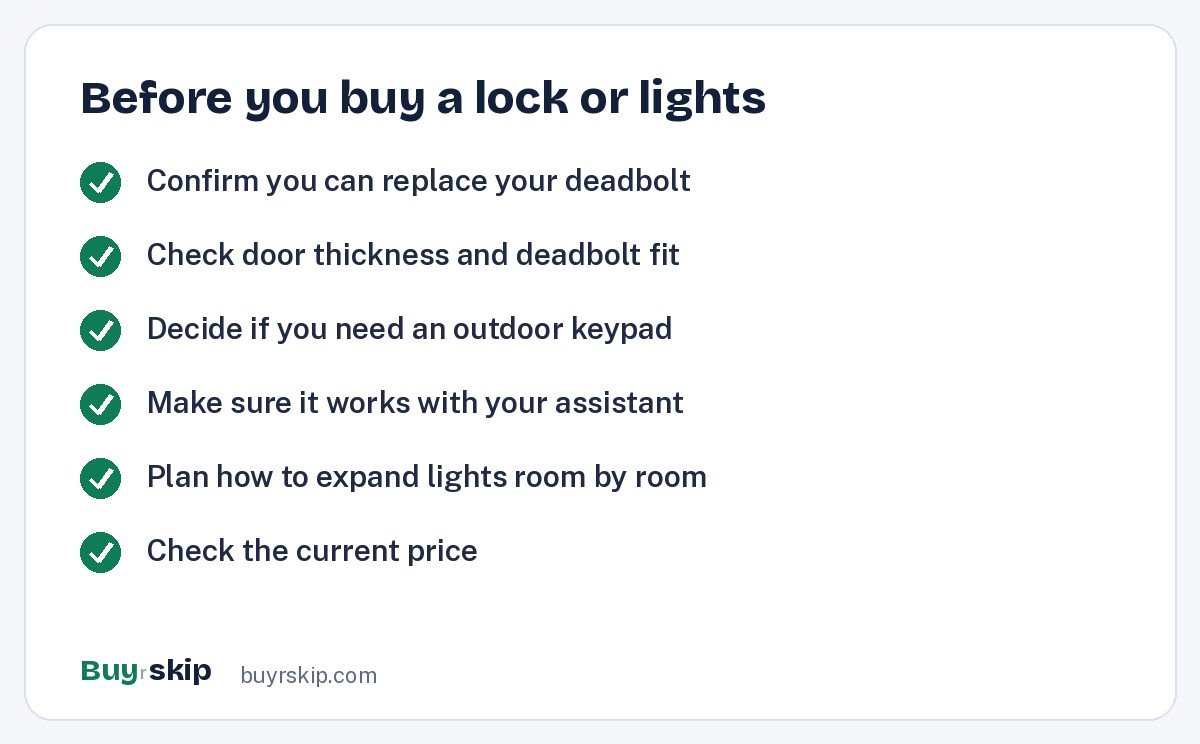
Decision rule: if you own your home and want keypad entry, buy the Yale Assure Lock 2. If you rent or want to keep your existing keys, buy the August Wi-Fi Smart Lock. Lighting is renter-friendly either way, because Hue bulbs screw into existing fixtures and go with you when you move.
Keypad, phone or both
Keypads are great for families, guests and service workers because no one needs an app. Phone-based entry and auto-unlock are convenient but rely on your phone’s battery and connection. The Yale Assure Lock 2 offers a keypad plus app control. The August lock focuses on app control and auto-unlock, with a keypad as an add-on.
Assistant and ecosystem compatibility
Check that every device works with the assistant you use. Philips Hue works with all the major ones, and the Yale Assure Lock 2 works with major assistants too. If you have smart speakers already, our best smart speakers guide explains which ecosystem each one belongs to, so your locks and lights fit in.
Hubs and bridges
The Hue Bridge included in the starter kit is part of what makes Hue so reliable, since it keeps bulbs on their own network and runs routines locally. For locks, Wi-Fi connectivity lets you control the door from anywhere. On the Yale, remote access depends on the Wi-Fi module, so factor that into the price.
Installation and fit
Hue bulbs install like any bulb. Smart locks take more care. Before buying a lock, check your door thickness, deadbolt type and backset against the maker’s compatibility guide. The August installs on the inside of your existing deadbolt, which most people can do with a screwdriver. The Yale replaces the deadbolt, which is still a DIY job for most people but involves a few more steps.
Batteries and backup
Smart locks run on batteries, and the app usually warns you when they are low. Keep spares on hand, and know your backup entry method: your existing key on the August, or the keypad and key options on the Yale, depending on configuration. A pack of AA batteries for smart locks in a drawer saves a lockout. For lighting, a few Hue smart buttons give guests a simple way to switch lights without an app.
Where to start if you are new
If you are just beginning with smart-home gear, start with the upgrade that solves your most frequent annoyance. If you fumble for switches in the dark, come home to a dark house or want lights that wake you gently, start with lighting. If you worry about leaving the door unlocked, hand out spare keys often or carry groceries to the door every day, start with a lock.
Lighting is usually the easier first step, since bulbs install in seconds and mistakes are cheap to undo. A sensible path is to put the Hue starter kit in the rooms you use most, such as the living room and bedroom, live with it for a few weeks, and then expand. Once you have a routine you like, adding a lock that triggers lights when you unlock the door at night makes the two work together.
Decision rules: if you want one upgrade that the whole household will notice, buy the Hue starter kit. If security and convenience at the door matter more, pick the Yale for an owned home or the August for a rental.
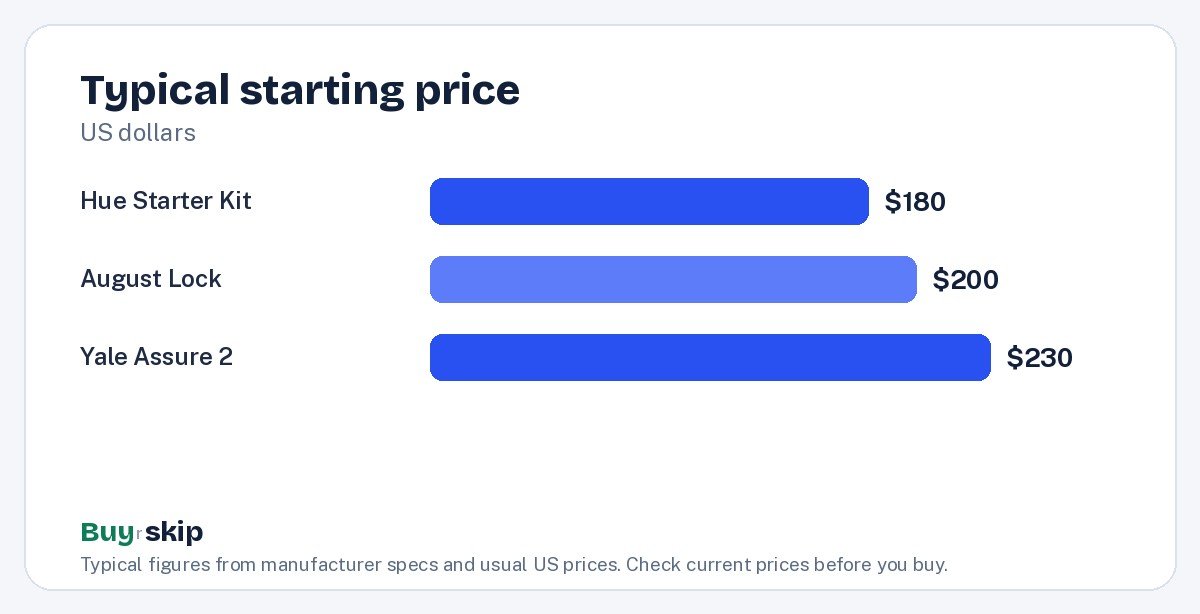
All three picks land in a similar price band, so the choice is about fit, not budget. If you want to see who is at the door before you unlock it, our best video doorbells roundup pairs well with either lock, and our best security cameras guide covers the rest of the house.
Frequently asked questions
Can renters use a smart lock?
Yes, with the right model. The August Wi-Fi Smart Lock fits over the inside of your existing deadbolt, so the outside of the door and your keys stay the same. That usually means no permanent changes, though you should still check your lease and ask your landlord before installing anything. Locks like the Yale Assure Lock 2 that replace the deadbolt are better suited to owners.
Are smart locks safe?
Smart locks from established brands like Yale and August use encrypted connections and let you control who has access and when. Security also depends on you: use strong account passwords, turn on two-factor authentication in the app, share codes only with people you trust, and remove codes you no longer need. Keep a physical backup entry method as well.
Do Philips Hue lights need a bridge?
The Philips Hue White and Color Ambiance Starter Kit includes the Hue Bridge, which connects the bulbs to your home network and runs routines reliably. The bridge is a big part of why Hue is known for dependable performance and lets you expand to many lights. If you plan to light more than a room or two, using the bridge is the best way to set up Hue.
What happens if a smart lock’s batteries die?
Smart locks warn you in the app well before batteries run out, so most owners replace them in time. If they do die, use your backup entry method. With the August lock, your existing key still works. The Yale Assure Lock 2 offers backup options depending on the model and configuration, so check Yale’s documentation when you set it up.
Is smart lighting worth it?
For most homes, yes. Smart lights let you set schedules, dim and change color temperature, control lights by voice, and turn everything off when you leave. Those small conveniences add up every day. Philips Hue costs more per bulb than budget brands, but its reliability and range of fixtures make it worth it for a whole-home setup.
The bottom line
The Philips Hue White and Color Ambiance Starter Kit is the best starting point for smart lighting, with the reliability and ecosystem to grow across your whole home. For locks, buy the Yale Assure Lock 2 if you own your home and want a keypad, or the August Wi-Fi Smart Lock if you rent or want to keep your keys.
Check the current price before you buy, since smart-home gear goes on sale often.
Check price on Amazon: Philips Hue White and Color Ambiance Starter Kit
Paid link. Typical price about $180–$230; check the current price on Amazon.