We research products independently from specs, manufacturer documentation, warranty terms and owner feedback. When you buy through links on this page, we may earn a commission at no extra cost to you. As an Amazon Associate we earn from qualifying purchases.
Quick answer
The Logitech MX Brio Ultra HD 4K Webcam is the best webcam for most people who spend real time on video calls. Its large sensor keeps your image sharp and natural even in a dim home office, and it has a built-in privacy shutter. On a budget, the Logitech Brio 101 Full HD 1080p Webcam costs about $25–$39 and is a clear step up from a weak laptop camera.
The best webcams fix the problems your laptop camera cannot: grainy video in a dim room, washed-out faces in front of a window and a low, unflattering angle. If you work from home, teach online or stream, an external webcam is one of the cheapest upgrades to how you come across. This guide covers four options, from a premium 4K camera to a simple 1080p model for school and occasional calls. Our picks are based on specs, manufacturer documentation, warranty terms, independent review consensus and owner-feedback patterns.
Quick picks
| Product | Best for | Our verdict | Typical price |
|---|---|---|---|
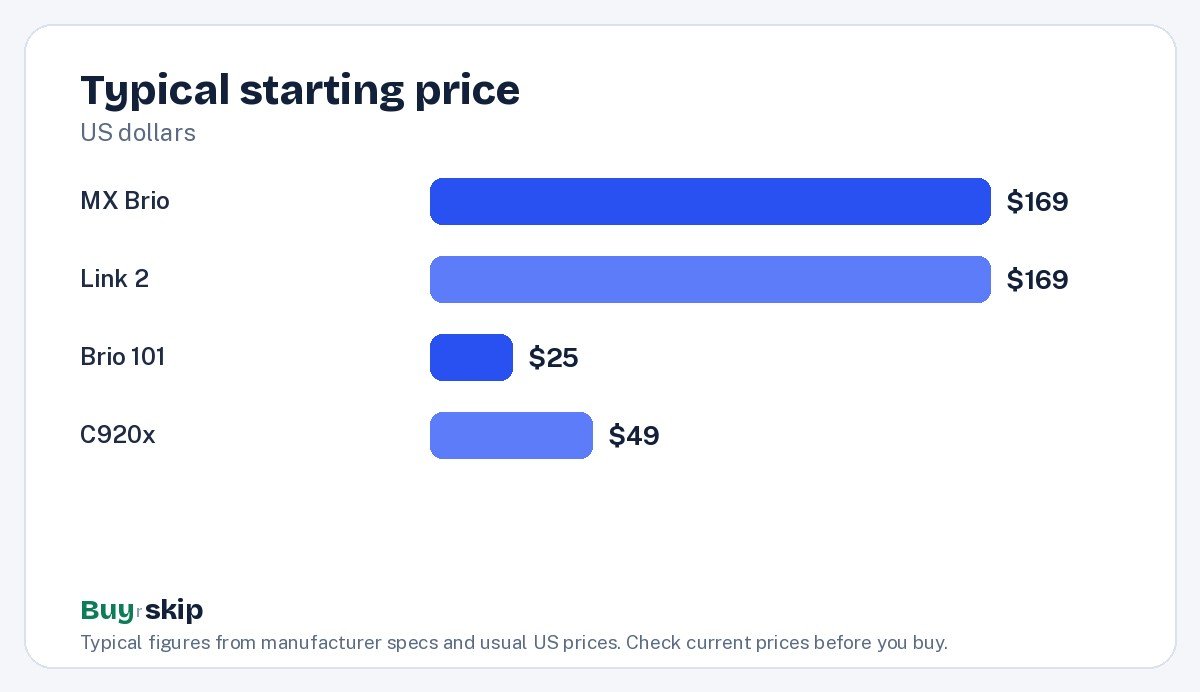
| Logitech MX Brio Ultra HD 4K Webcam | Remote workers | Buy (8.5/10) | about $169–$199 |
| Insta360 Link 2 4K AI Webcam | Teachers and presenters | Buy (8.4/10) | about $169–$199 |
| Logitech Brio 101 Full HD 1080p Webcam | Budget calls | Buy (7.9/10) | about $25–$39 |
| Logitech C920x HD Pro Webcam | Proven basic setups | Consider (7.2/10) | about $49–$69 |
Webcam prices shift often, so check the current price before you buy.
The best webcams in 2026
Best overall Our verdict: Buy
Logitech MX Brio Ultra HD 4K Webcam
Typical price: about $169–$199
Remote workers. Buy it if you spend hours on video calls and want a sharp, natural image even in a dim home office.
- Pros
- ✓ 4K resolution with a large sensor
- ✓ Good low-light performance
- ✓ Built-in privacy shutter
- ✓ Dual beamforming mics
- Cons
- ✕ Expensive
- ✕ Best features need Logi Options+ software
Check price on Amazon Paid link
The Logitech MX Brio Ultra HD 4K Webcam is the webcam to buy if video calls are a big part of your workday. Its main strength is a large image sensor. Bigger sensors gather more light, which is why it keeps a cleaner, more natural picture in the kind of dim room where cheaper webcams turn grainy and smeared. It records 4K at 30fps or 1080p at 60fps, connects over USB-C and has a built-in privacy shutter you can close when you are off camera.
Dual beamforming microphones help pick up your voice and reduce room noise, which is handy if you do not use a headset. The best image controls live in Logitech’s Logi Options+ software, where you can adjust exposure, color and framing, so plan to install it. It also helps with framing tweaks, such as a tighter crop when your desk is small or a wider view when you share the screen with a colleague.
The trade-off is price. At about $169–$199, it is expensive for a webcam, and if your laptop camera already looks fine and you only join a few calls a week, it is more than you need. In that case, the Brio 101 is the sensible choice.
Best for presenters Our verdict: Buy
Insta360 Link 2 4K AI Webcam
Typical price: about $169–$199
Teachers and presenters. Buy it if you move around while you teach, present or demo products and want the camera to follow you.
- Pros
- ✓ Gimbal auto-tracking
- ✓ Whiteboard and overhead modes
- ✓ 4K with good HDR
- ✓ Gesture controls
- Cons
- ✕ Pricey
- ✕ Gimbal motion can distract if left on
Check price on Amazon Paid link
The Insta360 Link 2 4K AI Webcam is a different kind of webcam. It sits on a small two-axis gimbal and uses AI tracking to follow you as you move, so you stay in frame when you walk to a whiteboard, hold up a product or step back to demonstrate something. That makes it a strong fit for teachers, trainers, fitness coaches and anyone who presents rather than sits still.
It also offers whiteboard and overhead modes, which help when you want to show notes or work on a desk surface, plus gesture controls for zooming and tracking without touching your computer. Image quality is strong, with 4K at 30fps and good HDR for handling bright windows behind you.
The downsides: it costs about the same as the MX Brio, and the gimbal motion can be distracting on a normal call if you leave tracking on. Think of it as a presentation tool first and a meeting camera second. If you sit at a desk for meetings, a fixed webcam does the job for less, and the MX Brio is the better choice for low-light image quality.
Best budget Our verdict: Buy
Logitech Brio 101 Full HD 1080p Webcam
Typical price: about $25–$39
Budget calls. Buy it if you need a simple 1080p webcam for a desktop PC or a laptop with a poor built-in camera.
- Pros
- ✓ Very affordable
- ✓ Built-in privacy shutter
- ✓ Plug-and-play USB-A
- Cons
- ✕ Image gets noisy in low light
- ✕ Basic microphone
Check price on Amazon Paid link
The Logitech Brio 101 Full HD 1080p Webcam is the easy pick for a desktop PC with no camera or a laptop with a poor one. It shoots 1080p at 30fps, plugs in over USB-A and works without setup on most computers. Automatic light balance helps your face look more even, and it has a built-in privacy shutter, which is unusual at this price.
At about $25–$39, it is a good choice for students, occasional work calls, family video chats and secondary computers. It is also cheaper than the older C920x while adding the shutter.
Expect limits. Its small sensor gets noisy in low light, so put a lamp or window in front of you for the best results. The microphone is basic, and a headset will sound better for long meetings. If you work in a dim room every day, save up for the MX Brio.
Also great Our verdict: Consider
Logitech C920x HD Pro Webcam
Typical price: about $49–$69
Proven basic setups. Buy it if you want a familiar, widely compatible 1080p webcam and find it discounted.
- Pros
- ✓ Reliable and compatible with everything
- ✓ Decent stereo mics
- ✓ Sturdy clip
- Cons
- ✕ Aging sensor
- ✕ No built-in privacy shutter
- ✕ Weak in backlit rooms
Check price on Amazon Paid link
The Logitech C920x HD Pro Webcam is a long-running 1080p webcam that works with nearly every computer and video app. It has decent stereo microphones, a sturdy clip that fits monitors and laptops well, and a long track record, which is why it shows up on so many office desks.
It is now the older design here. Its aging sensor struggles in dim and backlit rooms, and it lacks a built-in privacy shutter. The newer Brio 101 usually costs less and adds a shutter, so the C920x makes sense only if you want its familiar setup or find it at a clear discount below its typical $49–$69 range.
How to choose webcams
Resolution: 1080p or 4K?
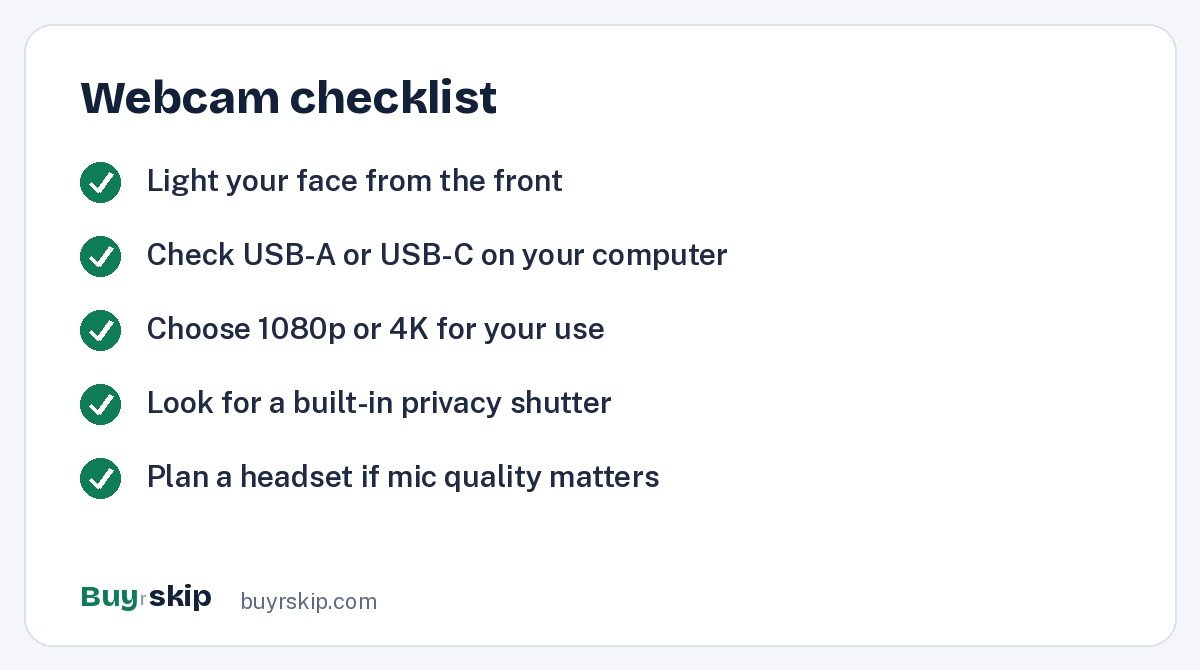
For most video calls, 1080p is plenty, because platforms like Zoom and Teams often compress video anyway. A 4K webcam still helps: it gives the camera more detail to crop and zoom without looking soft, and 4K models tend to come with better sensors and processing. If you only need to look clear on calls, the Brio 101 is enough. If you record content or want the sharpest image, buy a 4K model.
Low-light performance matters more than pixels
The biggest visible difference between cheap and premium webcams is how they handle dim rooms. Sensor size and processing decide whether your face looks clean or grainy. If you work in a room without much daylight, buy the MX Brio. If you are on a budget, add light instead; a desk key light for video calls in front of you can make an inexpensive webcam look far better.
Fixed camera or tracking camera
Most people sit still on calls and should buy a fixed webcam. If you move around a room, teach at a whiteboard or demo products, the gimbal tracking on the Insta360 Link 2 is worth the money. Turn tracking off for regular meetings so the movement does not distract others.
Connection and compatibility
Check your ports. The MX Brio uses USB-C, while the Brio 101 and C920x use USB-A. If your laptop only has USB-C, you may need an adapter or a hub. All of these work with common video apps on Windows and macOS, but some advanced settings require the maker’s software.
Privacy shutter and microphone
A built-in privacy shutter is a simple feature that gives peace of mind; the MX Brio and Brio 101 both have one, while the C920x does not. Webcam mics are fine for casual calls, but for long meetings a headset or dedicated mic usually sounds clearer to others. Our best gaming headsets guide includes models with good mics that work for calls too.
Backlight and bright windows
Many home offices put the desk in front of a window, which is the hardest lighting for a webcam. The camera exposes for the bright window and your face turns into a dark silhouette, or it brightens your face and the window blows out to white. Better processing and HDR handle this more gracefully, which is one reason the Insta360 Link 2 and MX Brio cost more. The C920x is notably weak here. The cheapest fix is to turn your desk so the window lights your face from the front or side, or to close the blinds and use a lamp. If you cannot move the desk, put your money into a webcam with strong HDR rather than a budget model.
Mounting and camera height
Position the webcam at or slightly above eye level. Most clip onto a monitor, but if you use a laptop on a desk, raising it or using a small webcam tripod can improve the angle. A better angle often matters more than a higher price.
Frequently asked questions
Is a 4K webcam worth it for video calls?
It can be, but not mainly for the 4K. Most call platforms send lower resolution video, so the extra pixels are often compressed away. The real benefit of a premium 4K webcam like the MX Brio is its bigger sensor and better processing, which keep your image clean in dim light. If your room is well lit, a 1080p webcam may look nearly as good on calls.
Why does my webcam look grainy?
Graininess is almost always a lighting problem. In low light, webcams raise the sensor gain, which adds noise. Put a light source in front of you, not behind, and avoid sitting with a bright window at your back. If you cannot change the room, a webcam with a larger sensor handles dim light better than a small budget model.
Do I need software for my webcam?
No, all four of these work as plug-and-play cameras in common apps. Software unlocks extra control. Logi Options+ adjusts exposure, color and framing on Logitech models, and Insta360’s app manages tracking, whiteboard and overhead modes on the Link 2. Install it if you want to fine-tune your image or use the advanced features.
Is the Logitech C920x still worth buying?
Only at a clear discount. It is reliable and very compatible, but it is the older design here. Its sensor struggles in dim and backlit rooms and it has no built-in privacy shutter. The newer Brio 101 usually costs less and adds a shutter, so it is the better default for a budget webcam.
Can I use a webcam with a laptop?
Yes. Clip it onto the laptop lid or an external monitor and plug it into a USB port. It often looks better than a built-in laptop camera, especially on older models. Check whether you need USB-A or USB-C, and pick it as the camera in your video app’s settings.
What is the best webcam for streaming?
For streamers who sit at a desk, the MX Brio is a strong choice thanks to its 1080p at 60fps option, which keeps motion smooth, and its 4K mode for sharp recordings. If you stream while moving around, such as cooking, fitness or product demos, the Link 2’s tracking keeps you in frame without a camera operator. Either way, good lighting will improve your stream more than any setting.
The bottom line
The Logitech MX Brio Ultra HD 4K Webcam is the best webcam for remote workers who want a sharp, natural image even in a dim room. If you teach or present on your feet, the Insta360 Link 2 is the specialist pick, and the Brio 101 is the smart budget buy.
Pair your new webcam with a good screen; our best monitors guide can help.
Check price on Amazon: Logitech MX Brio Ultra HD 4K Webcam
Paid link. Typical price about $169–$199; check the current price on Amazon.